Robo
2025
Robo Design System
I created a scalable design system for Robo, bringing consistency to modal components, buttons, and input fields across web and mobile. Through interface audits and cross-functional collaboration, I defined reusable patterns to improve usability and streamline design and development.

Role
Product Designer
Timeline
6 months
Team
Iowa State HCI
Platform
Web and Mobile
The Problem
Robo's interface was inconsistent and hard to scale, slowing development and creating unclear affordances for user.
When I joined, Robo had no centralized design system. UI elements like modals and buttons were styled inconsistently across web and mobile, creating fragmented user experiences and design–dev misalignment.
Inconsistent UI patterns made the interface feel unreliable and hurt user trust.
Duplicated designs increased dev time and led to bloated code.
Visual misalignment with updated branding reduced design cohesion.
Goal
I focused on building a system that scaled with the product and simplified collaboration across teams.
After identifying patterns of inconsistency and inefficiency, I worked with the team to define focused goals that would reduce friction, speed up delivery, and unify the product visually.
Solution Highlights
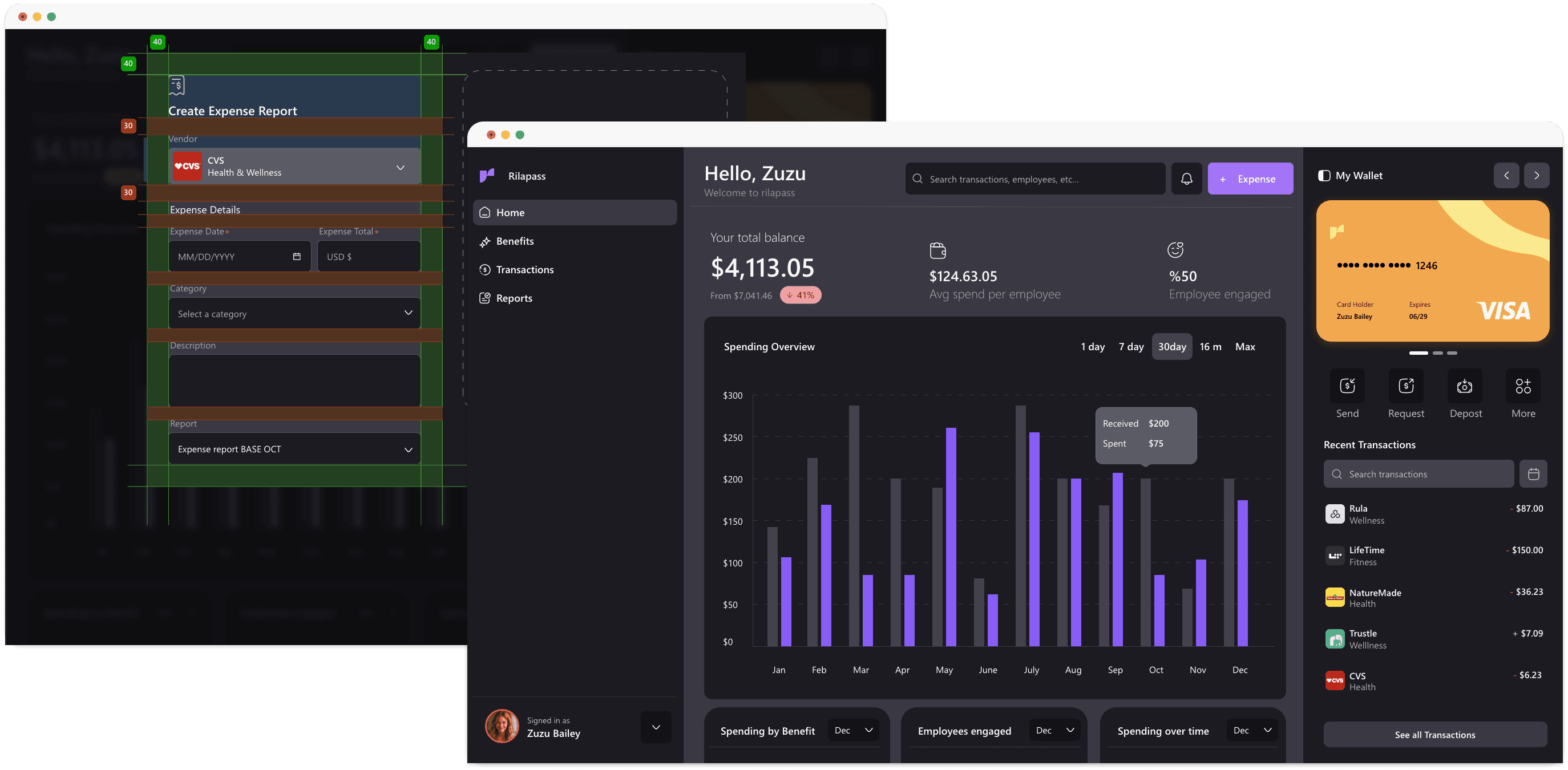
I redesigned modal components as a starting point to drive cohesion and scalability.
As the first step in building the design system, I focused on the most inconsistent UI pattern — modals. I rebuilt them with consistent layout, type scale, spacing, and visual style aligned to the refreshed brand.
Research & Insights
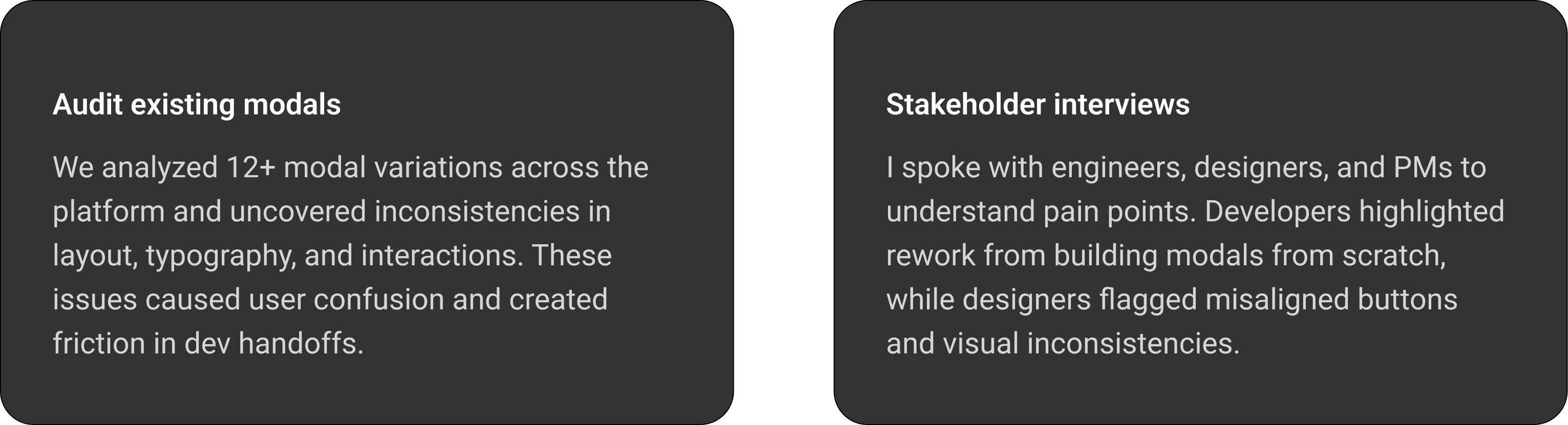
To uncover the root of UI inconsistencies, I audited modal designs and interviewed cross-functional stakeholders.
Turning Insights into a Solution
I defined design principles and built modular modal components to scale consistency across the platform.

Designing Base Elements
I established foundational styles to drive consistency, readability, and brand alignment.
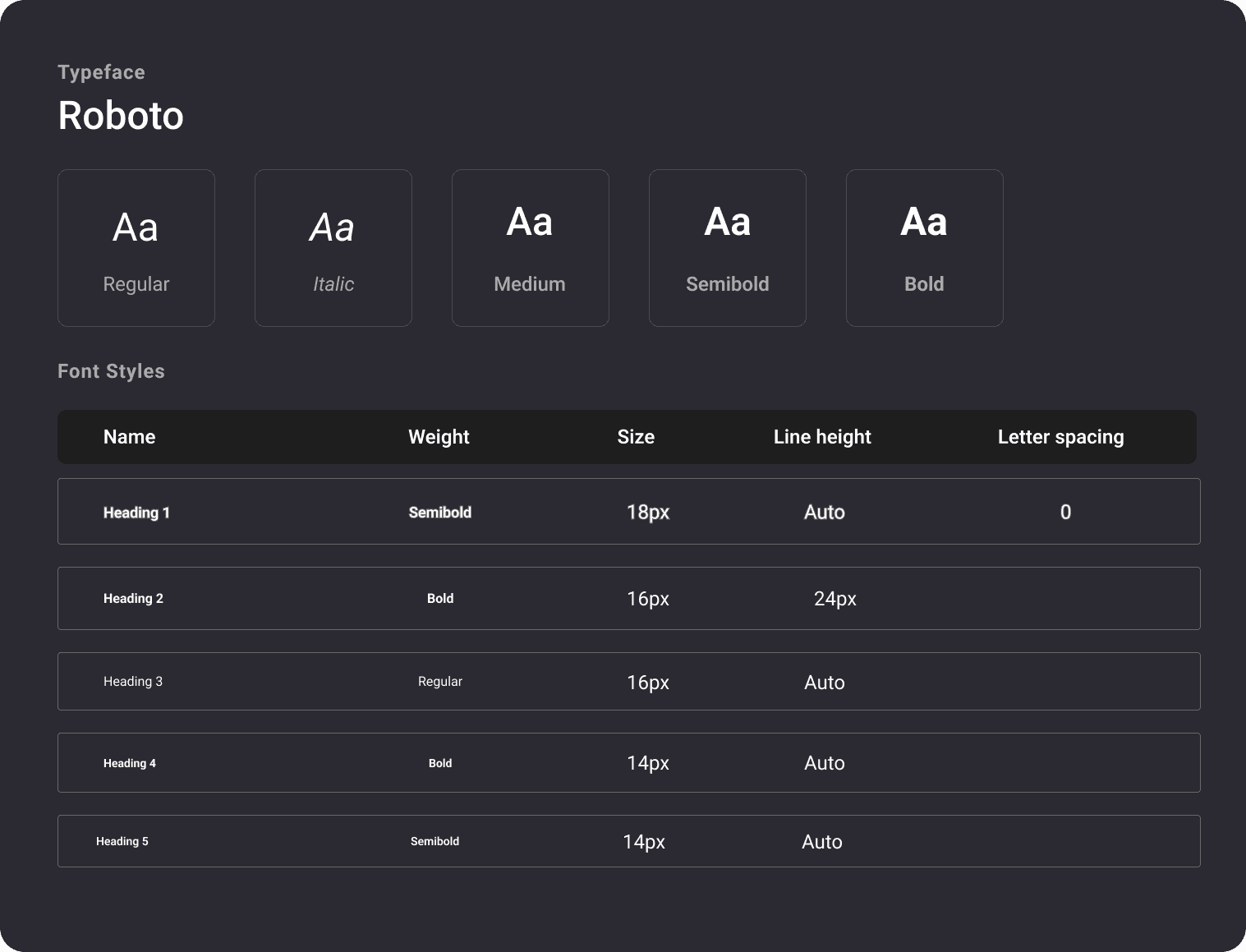
Typography
Roboto was chosen for its clean, modern feel and strong readability across platforms. The type scale supports clarity in dense, data-heavy layouts.
Color
The palette balances function and brand:

Button States
Defined button variants for all modal interactions. States are clear, responsive, and optimized for consistency across web and mobile.

Icons, Radii and Strokes
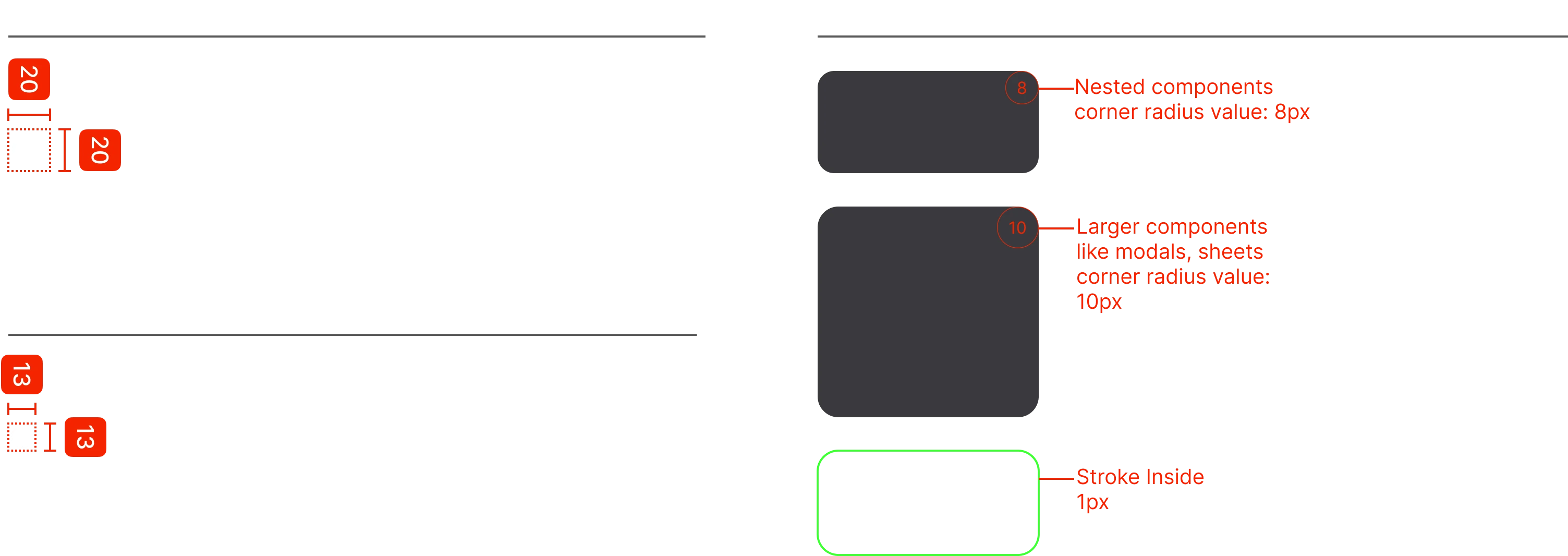
Standardized icon sizes and refined stroke widths and corner radii to improve visual clarity and maintain hierarchy across modal components.
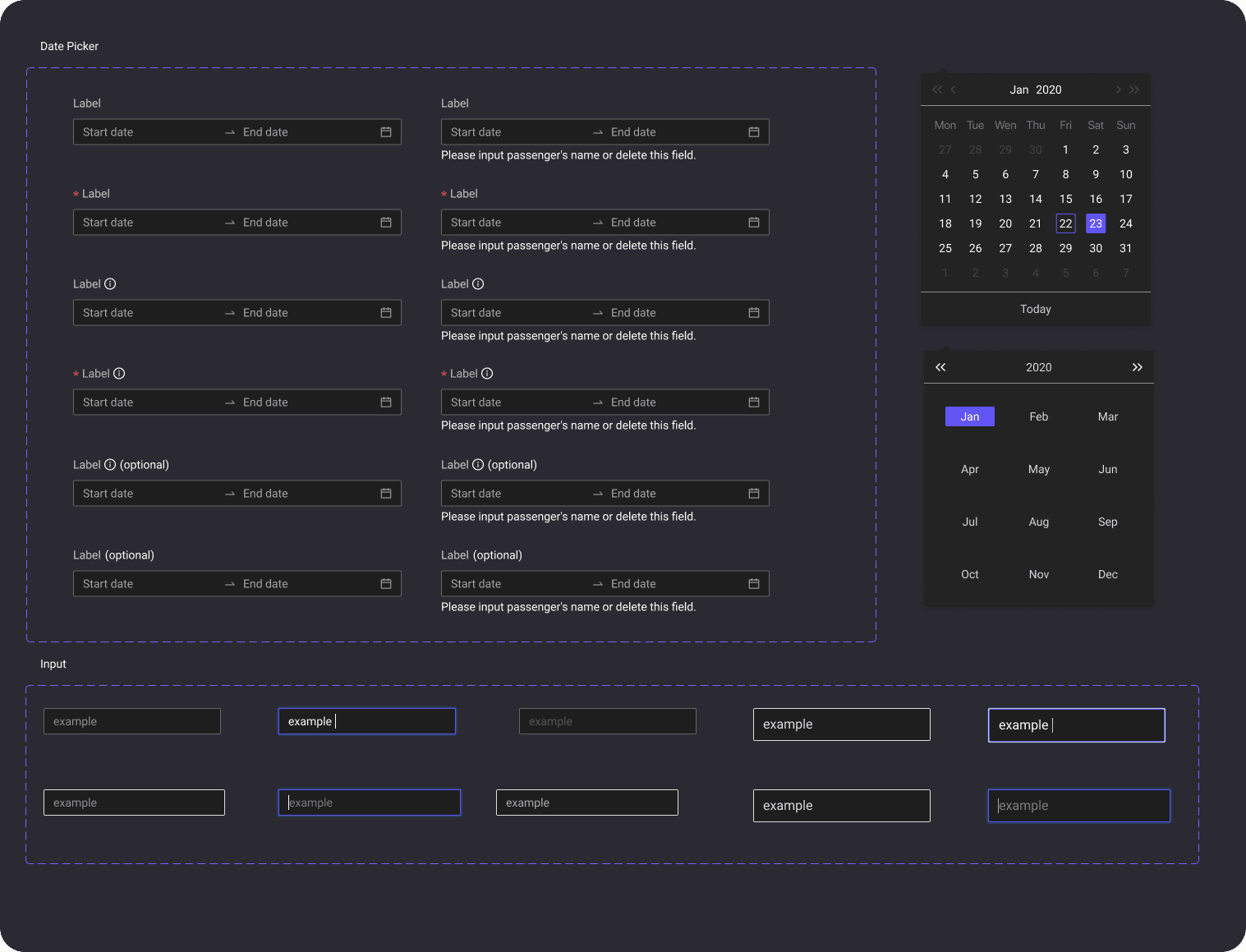
Input Fields
Designed input patterns with clear labels, predictable spacing, and flexible formats for values like percentages, dates, and tokens.
Design In Action
I created components and documented them for ease of use.
Desktop (1024 px)
I designed input fields with clear labels, consistent spacing, and accessible states, to ensure cohesion across the modals.
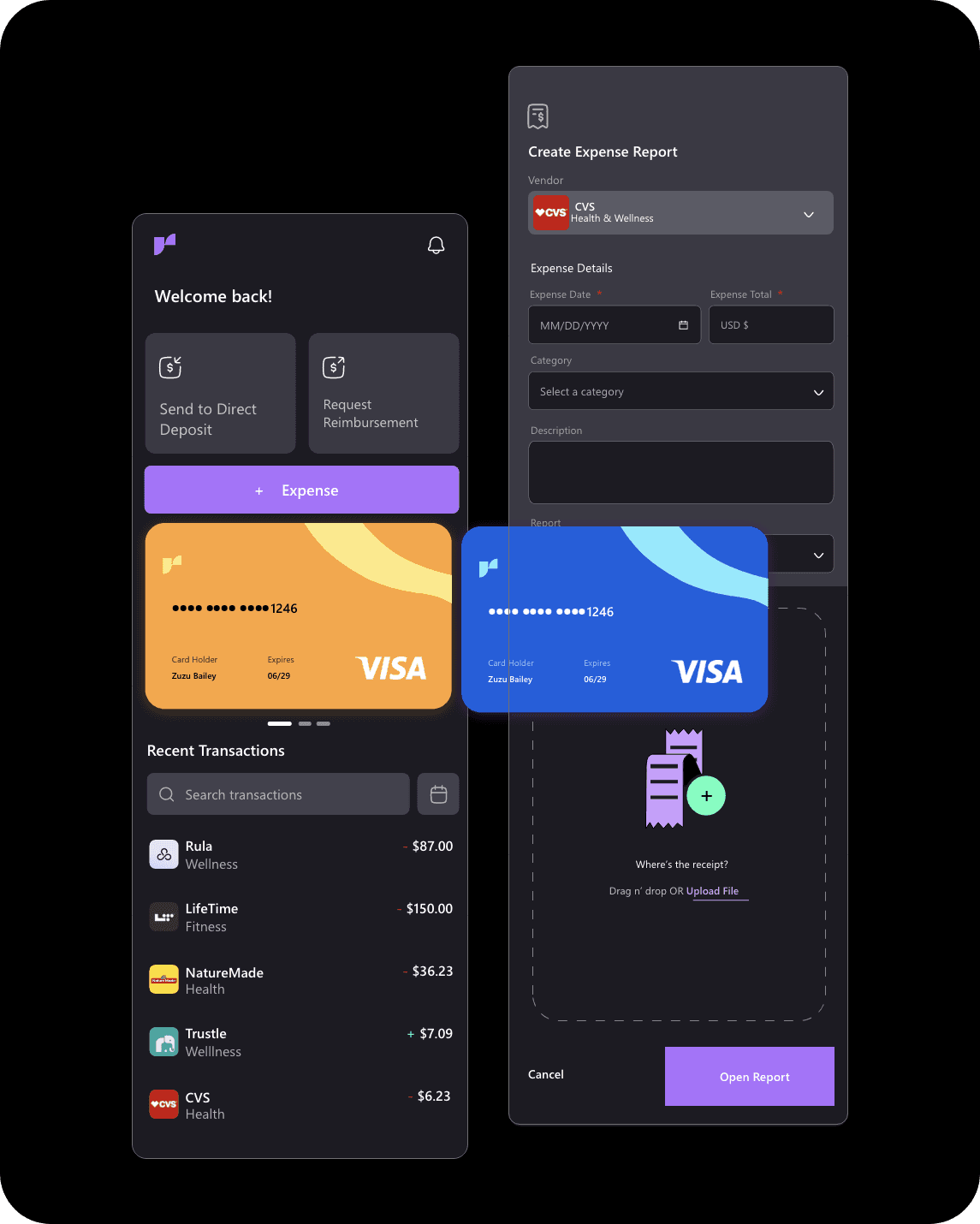
Mobile (375 px)
Components were adapted for smaller screens, with streamlined layouts and spacing to maintain usability without overwhelming the interface.
Reusable design patterns
Collaborated closely with developers to ensure accurate implementation and consistent behavior across platforms.
Partnered with engineers to hand off finalized components through Figma, complete with clear specs for grid, spacing, and interaction states. This ensured smooth integration and maintained visual fidelity at scale.